UE MEGABOOM2.0.72
Publisher Description
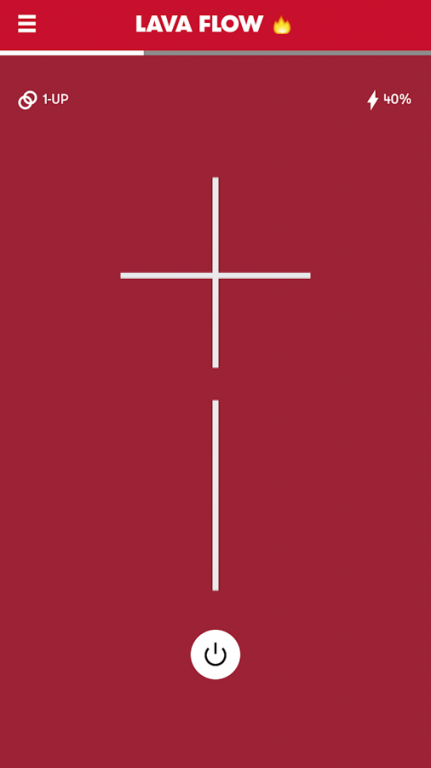
The UE MEGABOOM app has everything you need to get the most out of your UE speaker.
From #PartyUp to Voice Controls to customizable EQ controls, unlock even more awesome ways to use your UE MEGABOOM.
Description
What’s in this for you?
1. #PartyUp lets you connect more than 50 speakers to take your parties to a whole new level - wherever, whenever, whatever!
2. Say It to Play It! OK Google integration for UE MEGABOOM is available now. You’ll always stay in the moment -- with nothing between you and your music. It’s now quicker, easier, and more convenient than ever to keep your party going.
3. You Control the Sound: All about that bass? In a tight space? You control the atmosphere with our custom EQ.
4. Tap That! Having a shower party? Tap Controls are your best friend --Tap once to play/pause. Tap-Tap to skip.
5. Remote On/Off: you’d never walk all the way to your TV to turn it on and you shouldn’t have to with your wireless speaker either. Use the app to turn your speaker on/off from afar.
6. And More: DJ with 2 other friends using Block Party, personalize your speaker’s name, wake up to your favorite playlist with the Alarm
7. Subscribe to updates so you never miss a thing. A simple tap in the app updates your speaker with the latest features in no time.
* PartyUp requires ALL speakers to be upgraded to the latest firmware
* PartyUp is not compatible with UE ROLL
About UE MEGABOOM
The company that develops UE MEGABOOM is Logitech Europe S.A.. The latest version released by its developer is 2.0.72. This app was rated by 7 users of our site and has an average rating of 2.7.
To install UE MEGABOOM on your Android device, just click the green Continue To App button above to start the installation process. The app is listed on our website since 2016-12-15 and was downloaded 661 times. We have already checked if the download link is safe, however for your own protection we recommend that you scan the downloaded app with your antivirus. Your antivirus may detect the UE MEGABOOM as malware as malware if the download link to com.logitech.uemegaboom is broken.
How to install UE MEGABOOM on your Android device:
- Click on the Continue To App button on our website. This will redirect you to Google Play.
- Once the UE MEGABOOM is shown in the Google Play listing of your Android device, you can start its download and installation. Tap on the Install button located below the search bar and to the right of the app icon.
- A pop-up window with the permissions required by UE MEGABOOM will be shown. Click on Accept to continue the process.
- UE MEGABOOM will be downloaded onto your device, displaying a progress. Once the download completes, the installation will start and you'll get a notification after the installation is finished.
Program Details
System requirements
Download information
Pricing
Version History
version 2.0.72
posted on 2016-12-15
Various fixes and enhancements.,Please Note: we are aware of an issue affecting a few customers using Samsung Galaxy devices. We're working on a fix and appreciate your patience while we get the issue resolved.,Thanks,,- UE Mobile Team
